
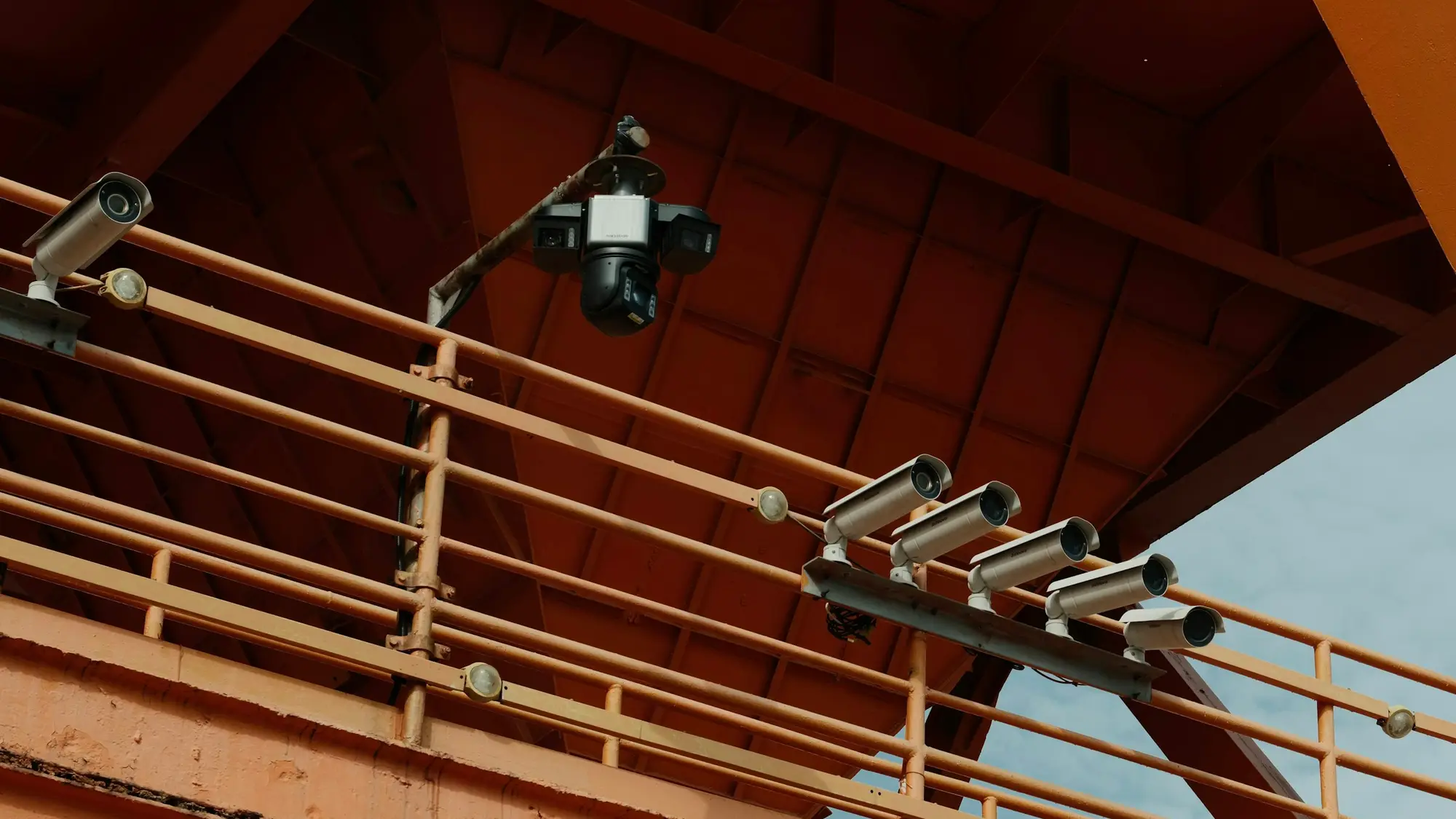
Vision agents for your cameras, with people in charge
We build agents that watch the camera feeds you already have, say in plain language what is happening and alert the right person.
Cameras are one source of events. For equipment sensor data see Physical AI, and for custom agents that act on events, see AI agent development.
Put your camera feeds to work
Video becomes more useful when it helps your team recognise a relevant event. We connect the scene to your monitoring requirements and bring defined observations into a dashboard and notification workflow.
The clips on this page are illustrative examples of the kind of scene a monitoring rule can cover. They are not applyd.ai customer footage.
Your site sets the monitoring priorities
Define the areas, activities and operating periods you want to observe. Build a shared view of what should be brought to your team's attention.
- Restricted-area entryIdentify presence within designated equipment areas, process zones and other configured access boundaries.
- Site-specific activityMonitor defined movement or presence around selected equipment, locations and operating schedules.
Monitoring scenarios to explore
Examples of visual monitoring for safety and operations. Each scenario is assessed against your requirements, camera coverage and the detection approach needed.
Restricted pedestrian areas
Bring attention to people entering a zone where pedestrian access is restricted.
01 / Configured area boundariesActivity at height
Review presence in designated elevated areas where additional attention is required.
02 / Selected areas and activitiesWalkway obstructions
Explore monitoring for objects occupying important access routes or operational spaces.
03 / Defined routes and spacesVisible liquid spills
Assess detection of visible floor conditions that may need investigation or cleanup.
04 / Scene coverage and visibilityArea occupancy
Assess monitoring for the number of people present in a defined space.
05 / Area-specific occupancy rulesThese are application examples to evaluate with your team. The final monitoring scope is agreed and validated for the site.
Help the right person understand what happened
Bring observations into a dashboard, connect them to their location and time, and notify the designated contact through email, Slack or another agreed channel. Give your team the context to review the event and decide on the next step.
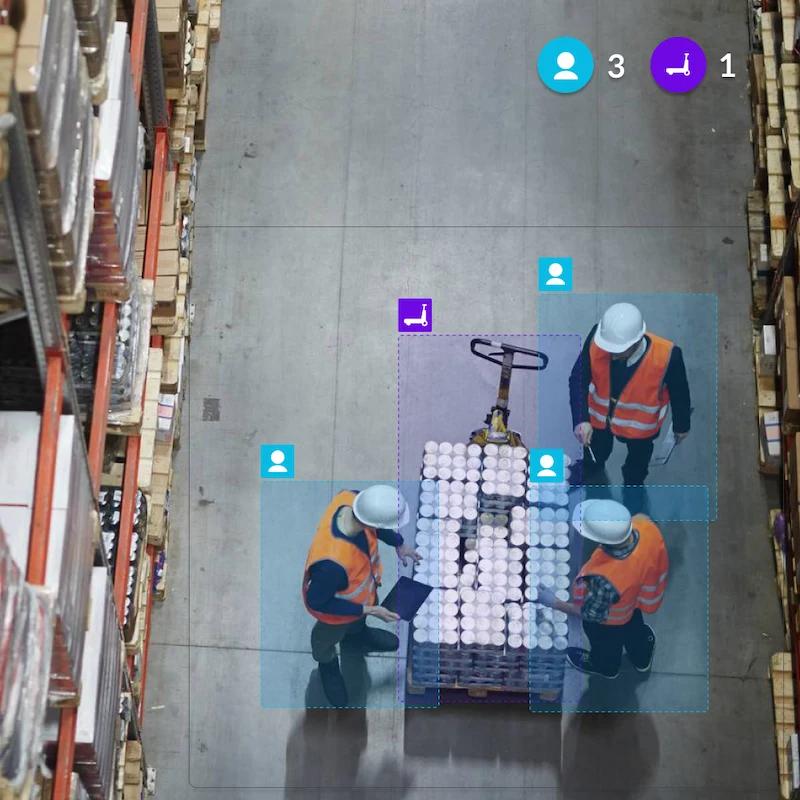
- 01 / Observe
Recognise the event.
Identify activity that matches the configured monitoring requirement.
- 02 / Understand
Bring the context.
Review the relevant camera scene, area and event timing.
- 03 / Inform
Reach the contact.
Send the observation to the person responsible for reviewing it.
Begin with the cameras you already use
We assess your camera feeds, scene coverage and connection requirements, then shape the monitoring around your operation. Define the rules, areas and notification contacts with your team.
- On-site
- Cloud
- Hybrid
Choose an on-site, cloud or hybrid deployment to fit your environment.
Explore industrial applicationsWhat we build for camera and sensor feeds
Most projects start with one or two of these on a handful of cameras. We agree what counts as an event before building.
- 01
Safety and PPE checks
Hi-vis, hard hats and gloves checked where they are required, with an alert and a still frame for the person who can act.
- 02
Zones and perimeters
Alerts for people or vehicles entering restricted areas, crossing a line or being on site outside agreed hours.
- 03
Task and SOP verification
Checks that a step was done in the right order, such as a lock-out applied or a pallet wrapped, with the clip kept as evidence.
- 04
Line and quality monitoring
Spots stoppages, jams and visible defects, and asks the operator for a reason instead of guessing.
- 05
Equipment state and idle time
Reads whether a machine is running, idle or waiting, from the camera and, where available, machine sensors.
- 06
Searchable video history
Ask for every forklift near-miss on line 3 this week and get the clips with a short written summary.
Where it is used, by industry
The cameras are the ones you have. What changes is what the agent is told to look for.
- 01
Manufacturing
Cameras watch for missing PPE near machines, guards left open and lines that stop. Operators are asked why a stoppage happened so the reason is recorded.
- 02
Automotive
Cameras watch assembly stations for steps done out of order and for people too close to moving vehicles or robots. Paint and finishing areas can be checked for visible surface faults.
- 03
Energy / oil & gas
Cameras watch for people in exclusion zones and for missing PPE at hazardous sites. Gauges and equipment status can be read and logged between rounds.
- 04
Construction
Cameras watch for hard hats and hi-vis, for people in unsafe areas and for plant moving near workers. Site entrances can log who and what arrives out of hours.
- 05
Warehousing & logistics
Cameras watch forklift and pedestrian routes, blocked exits and dock activity. Vehicle and pallet counts can be logged at the doors.
- 06
Retail stores & sites
Cameras count people at entrances and queues, and flag spills, blocked aisles and doors left open. Counts are kept as totals without identifying anyone.
Industry pages in detail
- ManufacturingPPE, line stops, quality and task checks
- Warehousing & logisticsForklift near-misses, docks and yard activity
- ConstructionSite safety, plant and people, progress
- Energy, oil & gasPermit zones, remote sites and PPE
- Food processingHygiene, PPE and sanitation checks
- Security & perimeterIntrusion, after-hours entry and loitering
How a vision agent is built
Camera feeds go in, plain-language events come out, and a person reviews anything that matters before it leads to action.
From camera to alert
Runs continuously on each feedPrivacy controls
Set before the first camera goes liveStep 1 of 10System work
Connect feeds
The agent reads your existing IP cameras or NVR over standard protocols. No new cameras are needed to start.
- In practice
- RTSP and ONVIF stream ingest
- You get
- Live frames from each camera
Watch a camera feed become an event log
A scripted example of events from three cameras in one day: each alert, the person it goes to and the review step.
Step 1 of 7
- Vision agentDock 2: person without hi-vis
- Upcoming: Line 3: forklift and pedestrian too close
- Upcoming: Line 3: stopped for 4 minutes
- Upcoming: Operator replies
- Upcoming: Gate A: opened after hours
- Upcoming: Shift lead marks it reviewed
- Upcoming: Search the history
06:02
Dock 2: person without hi-vis
The agent sees someone walk into the loading bay without a high-visibility vest and sends an alert with a still frame.
- Camera
- Dock 2
- Rule
- Hi-vis required in bay
- Sent to
- Shift lead
Video AI in practice
Short videos showing how vision AI is used on real sites.
These are third-party industry examples from the companies credited under each video. They are not applyd.ai deployments or customers.
AI-based safety compliance monitoring
Source: Qualcomm

AI cameras for workplace safety
Source: e-con Systems

Workplace safety with computer vision
Source: Assert AI

AI-powered industrial monitoring
Source: SECO
How we keep camera AI safe
Watching people at work needs more care than most AI. These rules are agreed before any camera is switched on.
- Video stays with youPrivateAgents run on site or in your private cloud, and raw video is not sent to us.
- Blurring and retention you controlPrivateFace and person blurring and retention limits are set per camera.
- Alerts, not automatic punishmentPersonThe agent raises events. A person reviews them before anything happens to anyone.
- UK GDPR and consultationPersonWe work within UK GDPR and ICO guidance, help with the DPIA and recommend signage and worker consultation.
Tools we commonly work with
We choose per site and budget. Naming a tool is not a partnership or an endorsement.
- Cameras
- RTSP and ONVIF IP cameras
- Existing CCTV and NVR
- Models
- Object detection
- Pose estimation
- Vision-language models
- Runs on
- NVIDIA Jetson
- Edge servers
- Private cloud
- Outputs
- Live dashboard
- Teams, Slack, SMS and email
- Webhooks
- MES, CMMS and ticketing
Common questions about this work
What does video AI do with existing cameras?
It connects to the IP cameras or NVR a site already has and watches for events your team defines, such as entry into a restricted zone, a blocked walkway or a visible spill. The right person gets an alert with a still or clip, reviews it and decides what happens next. Nothing acts on its own.
Keep reading related pages
- Physical AI for equipmentSensor intelligence that spots when equipment behaviour changes.
- OT CybersecurityA service to understand, strengthen and prepare industrial systems.
- AI agent developmentAgents that use tools, with people approving risky actions.
- LLM integration and RAGAnswers grounded in your own documents and systems.
- Security overviewTenant isolation, access, audit and how agents are kept in bounds.